
Billing and POS Systems for Supermarket Businesses:
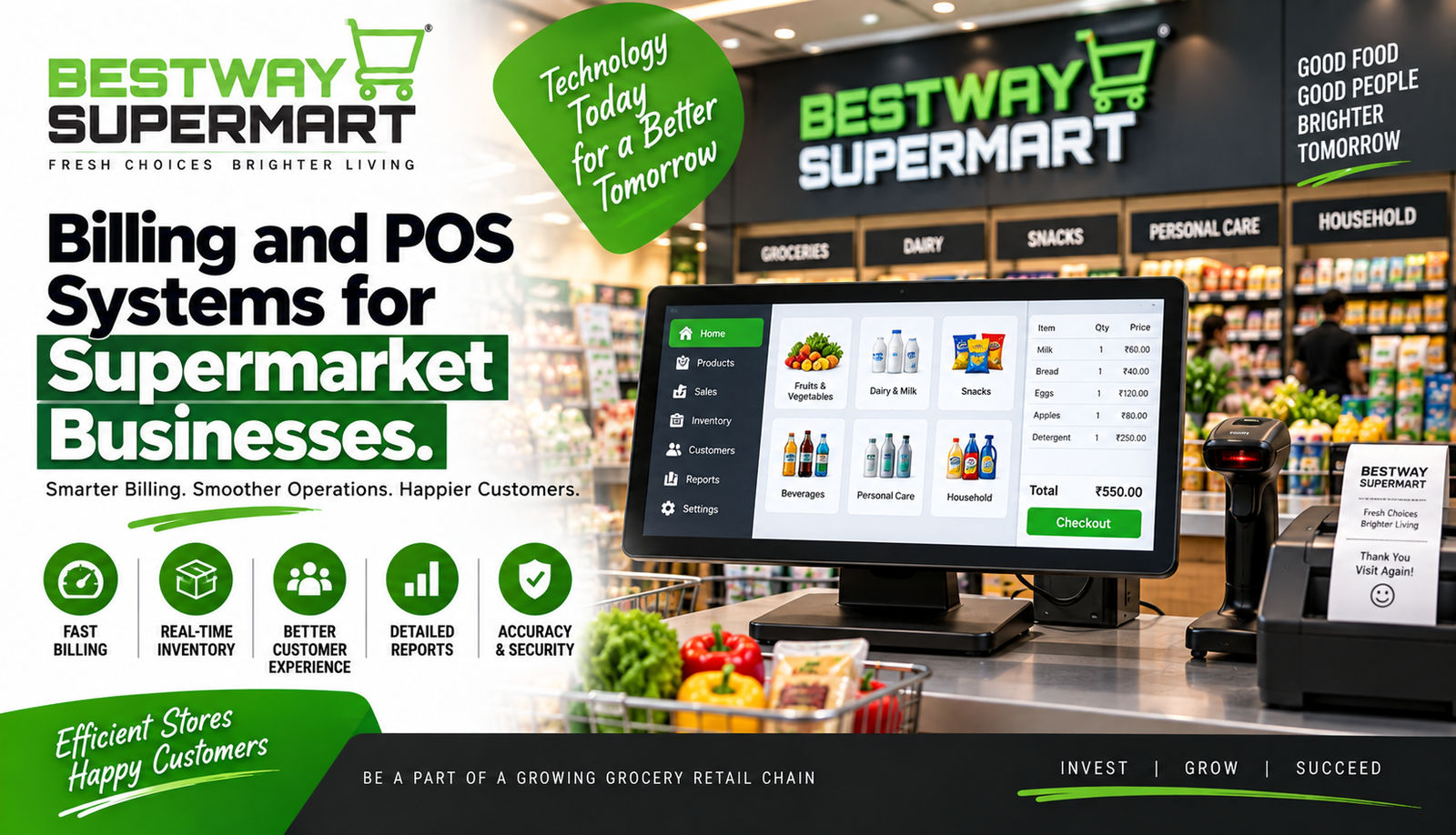
Imagine a customer standing at your supermarket checkout with a full shopping basket. The store is busy, the queue is growing, and the cashier has to scan dozens of products quickly. One billing mistake or slow checkout can immediately affect the customer’s experience. This is where a reliable supermarket POS system becomes essential.
A modern POS system does much more than calculate the total bill. It can connect billing, inventory, payments, product information, sales reports, and customer records in one place. For supermarket owners and franchise operators, the right technology can make daily operations faster, more organized, and easier to monitor.
What Is a Supermarket POS System?
A Point of Sale (POS) system is the technology used to process customer purchases at the checkout counter. In a supermarket, it typically combines hardware and software to scan products, calculate prices, apply discounts, accept payments, and generate receipts.
A complete supermarket POS system may include:
- Barcode scanner for identifying products quickly.
- POS computer or touchscreen for processing transactions.
- Receipt printer for generating customer bills.
- Cash drawer for handling cash payments.
- Payment terminal for cards and digital payments.
- Software for managing products, prices, inventory, and sales data.
Instead of manually entering every product and calculating prices, the cashier can simply scan the barcode. The system identifies the product and automatically adds the correct price to the customer’s bill.
Why Supermarkets Need Modern Billing Technology
Supermarkets handle a large number of transactions every day. Manual billing becomes increasingly difficult as the number of products and customers grows.
A modern supermarket billing software solution can help reduce repetitive work and improve accuracy. When a product is scanned, its price is retrieved from the system, making the billing process considerably faster.
The benefits can include:
- Faster checkout
- Fewer pricing mistakes
- Better inventory visibility
- Easier payment processing
- Automatic sales records
- Simplified reporting
- Better control over discounts and promotions
For example, suppose a supermarket sells hundreds of packets of a particular snack every week. With an integrated system, the owner can monitor sales and stock levels instead of depending entirely on manual records.
Key Features of a Supermarket POS System
Not every POS solution offers the same features. Before choosing one, supermarket owners should understand what their store actually needs.
Fast Barcode-Based Billing
Barcode scanning is one of the most important features. Employees can scan products rather than manually searching for each item.
This is particularly useful during busy periods when several customers are waiting in line. Faster transactions can help keep checkout queues under control.
Inventory Integration
A good supermarket POS system can connect sales information with inventory records. When a product is sold, the corresponding stock quantity can be updated automatically, depending on the system configuration.
This gives managers better visibility into products that are selling quickly and items that may need replenishment.
Multiple Payment Options
Customers increasingly expect convenient payment choices. A supermarket checkout may need to support cash, cards, UPI, digital wallets, and other available payment methods.
Payment flexibility can make checkout more convenient and reduce unnecessary delays.
Discount and Promotion Management
Supermarkets frequently run offers such as percentage discounts, product bundles, loyalty promotions, or special prices.
The POS software should make it easy to apply eligible promotions correctly. This reduces the need for cashiers to calculate discounts manually.
How Supermarket Billing Software Improves Daily Operations
Supermarket billing software can become the central point where transaction information is recorded. Instead of maintaining separate records for different activities, managers can access important information through the software.
For instance, a store manager may want to know which products generated the most sales during the weekend. Rather than manually checking receipts, the manager can use sales reports provided by the system.
This can support better decisions about:
- Product ordering
- Promotional planning
- Pricing
- Stock replenishment
- Staff allocation
- Sales analysis
The biggest advantage is not simply faster billing. It is having more organized information available for making everyday business decisions.
Choosing the Right Supermarket POS System
Selecting a POS solution should not be based only on price. A cheaper system may become expensive if it lacks important features or provides poor support.
Before purchasing, consider the following factors:
Store Size and Number of Counters
A small supermarket may need only one or two checkout terminals, while a larger store may require multiple counters connected to the same system.
The system should be capable of handling your current requirements while offering room for future growth.
Ease of Use
Cashiers may use the system throughout their working day. Complicated software can slow down operations and increase training requirements.
Choose a system with an interface that employees can understand quickly.
Inventory Capabilities
If inventory management is important to your business, make sure the POS solution provides suitable stock-tracking features.
Reporting
Sales and operational reports can help owners understand what is happening inside the store. Look for reports that are relevant to your business rather than simply choosing a system with a large number of unnecessary features.
Technical Support
Technology problems can affect billing immediately. Reliable customer support and proper system maintenance are therefore important considerations.
Hardware Required for Supermarket Billing
A supermarket POS setup generally combines software with physical equipment. The exact configuration depends on the store.
Common hardware includes:
- POS terminal or computer
- Barcode scanner
- Receipt printer
- Cash drawer
- Customer display
- Payment terminal
- Barcode or label printer where required
The hardware should be positioned in a way that allows cashiers to work comfortably while maintaining a smooth customer flow.
Example: How POS Works in a Supermarket
Consider a customer buying milk, bread, vegetables, and household cleaning products.
The cashier scans each product. The POS system identifies the items, calculates the total, applies any eligible offers, and displays the final amount. The customer then chooses a payment method and receives a receipt.
At the same time, the transaction is recorded in the store’s sales data. Depending on the system’s integration, inventory quantities are also updated.
This simple transaction demonstrates why a supermarket POS system can connect several important activities instead of treating billing as an isolated process.
Common Mistakes When Selecting POS Software
A POS system is an important business investment, so rushing the decision can create problems.
Avoid choosing software only because it has a low initial cost. Also consider usability, scalability, reporting, inventory features, payment compatibility, security, and technical support.
Another common mistake is failing to train employees. Even good software cannot deliver its full benefit if cashiers do not know how to use it properly.
Before implementation, create a basic training process and allow employees to practice common transactions.
Security and Data Management
Supermarkets process valuable business information every day. POS systems may contain sales records, product information, employee activity, and other operational data.
Owners should therefore pay attention to access controls, software updates, backups, and appropriate security practices.
Employees should receive individual permissions where possible so that sensitive administrative functions are not accessible to everyone.
FAQs About Supermarket POS Systems
1. What is a supermarket POS system?
A supermarket POS system is software and hardware used to process customer purchases, manage billing, accept payments, and record sales transactions.
2. What is supermarket billing software used for?
Supermarket billing software is used to create customer bills, calculate prices, apply discounts, record payments, and maintain transaction information.
3. Can a POS system manage inventory?
Many POS solutions offer inventory-management features or integrations. These can help businesses monitor product quantities and identify items that may require replenishment.
4. Does a supermarket POS system support digital payments?
Many modern POS systems can work with different payment methods, including cards and digital payment options, depending on the software and payment integrations used.
5. Is POS software useful for small supermarkets?
Yes. A small supermarket can benefit from faster billing, organized sales records, easier inventory monitoring, and reduced manual work. The ideal system should match the store’s actual size and requirements.
6. How does POS software help supermarket owners?
It can provide organized transaction data, sales reports, inventory information, and operational insights that help owners manage the store more effectively.
7. What should I check before buying POS software?
Consider billing speed, ease of use, inventory management, payment options, reporting, scalability, security, hardware compatibility, customer support, and overall cost.
Final Thoughts: Choose Technology That Supports Your Supermarket
A reliable supermarket POS system can transform the way a supermarket handles everyday billing and retail operations. From scanning products and accepting payments to monitoring sales and supporting inventory management, the right system can save time and make store management more organized.
However, technology should be selected according to the supermarket’s size, product range, customer volume, budget, and future plans. A system that works well for one store may not necessarily be suitable for another.
If you are planning to start, operate, or expand a supermarket franchise, understanding billing technology is an important part of building efficient operations. Bestway Supermart can be explored as a franchise opportunity for entrepreneurs interested in the organized grocery and supermarket retail sector.
The goal is simple: make checkout faster, keep information organized, support employees, and give customers a smoother shopping experience. With the right POS and billing approach, technology can become a practical business tool rather than just another expens